You print a QR code on a confidential document, a product manual with proprietary specs, or a private event invitation. Anyone with a phone camera can scan it and instantly access everything behind it. There is no gate, no verification, no way to tell who got in. For public links, that openness is the whole point. But for sensitive content, it is a serious problem.
Password protected QR codes solve this by adding a security layer between the scan and the content. When someone scans your QR code, they see a password prompt instead of the destination. Only people who know the correct password can proceed. Everyone else is stopped.
Codex QR Cloud makes creating password protected QR codes simple. It uses PBKDF2-SHA512 encryption with 100,000 hashing iterations to secure passwords — the same standard used by banks and security-critical applications. And you can get started on the free plan.
Why You Need Password Protected QR Codes
Standard QR codes are designed for maximum convenience: scan and go. That is perfect for marketing campaigns, restaurant menus, and public websites. But there are many situations where unrestricted access creates real risk:
- Confidential documents: Contracts, lab results, financial reports, legal filings — if the QR code on a printed document gets photographed or shared, anyone can access the content.
- Internal resources: Company wikis, SOPs, training materials, and IT documentation that should stay within your organization.
- Exclusive event content: VIP schedules, backstage passes, speaker slides, or premium materials tied to paid tickets.
- Healthcare and medical records: Patient information on ID wristbands, lab sample labels, or medical equipment linking to clinical data.
- Education: Exam answers, grading rubrics, or teacher-only resources printed on classroom materials.
- Manufacturing and supply chain: Service manuals, IP addresses, and configuration details on machinery QR labels that unauthorized personnel should not access.
In each of these cases, adding a password to your QR code gives you control over who sees the content without sacrificing the convenience of scanning.
How Password Protected QR Codes Work
A password protected QR code is always a dynamic QR code. Instead of encoding content directly into the pattern (like a static QR), it encodes a short redirect URL. When scanned, the request hits a server that checks whether the QR code has a password set.
If it does, the server displays a clean, mobile-friendly password entry page instead of redirecting immediately. The user enters the password, the server verifies it against the stored hash, and only then reveals the content behind the QR code.
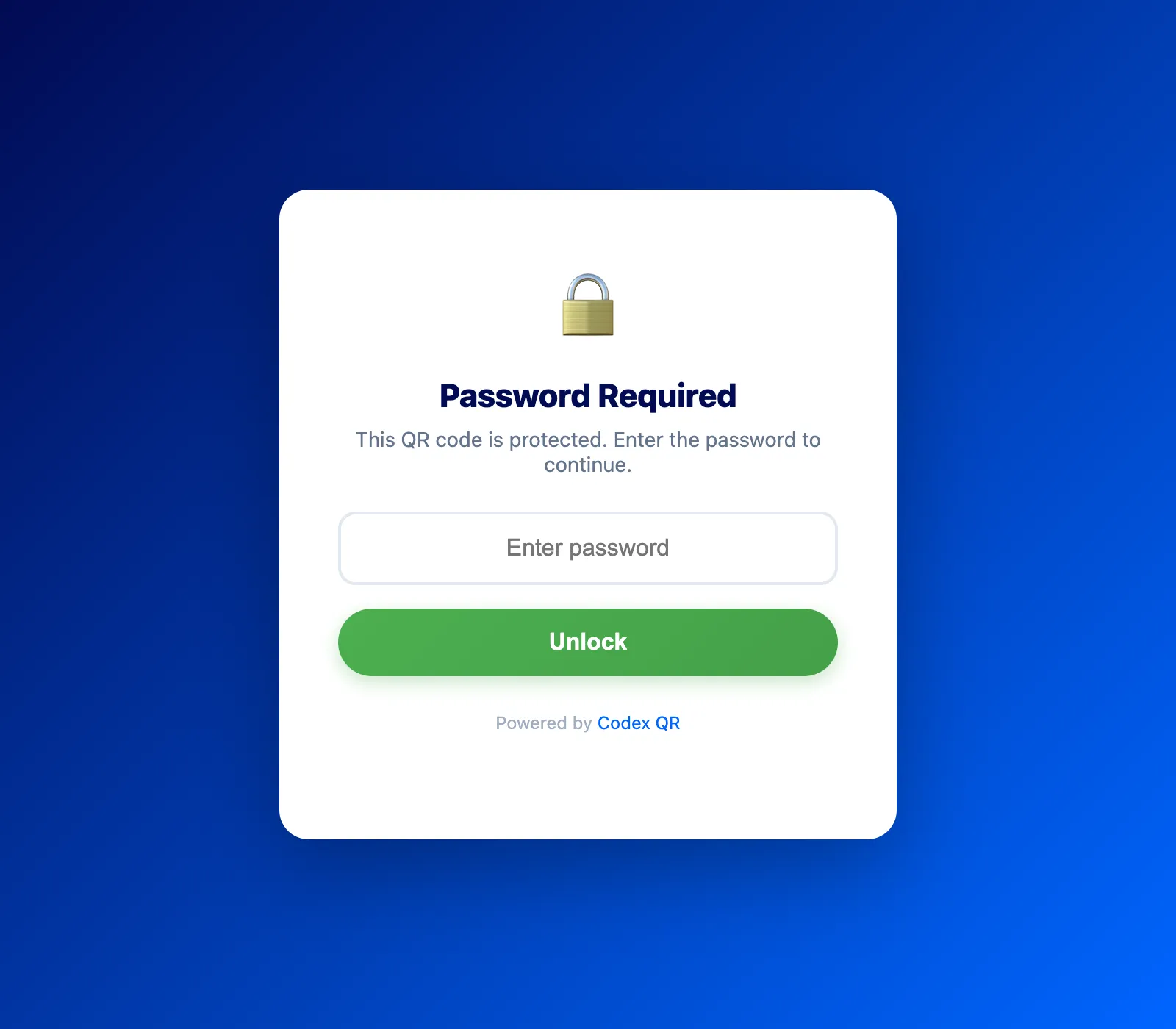
Here is what makes this approach secure:
- Passwords are never stored in plain text. Codex QR Cloud uses PBKDF2-SHA512 with a random 16-byte salt and 100,000 iterations. Even if someone gained access to the database, they could not extract the original passwords.
- Verification happens server-side. The password check runs on the server, not in the browser. There is no client-side JavaScript an attacker could inspect or bypass.
- The QR code itself reveals nothing. Scanning a protected QR code only shows a generic password prompt. The actual destination URL is never exposed to unauthenticated users.
This is fundamentally different from approaches that try to "encrypt" the QR code pattern itself. Those schemes are easily defeated because the decryption logic must be visible in the client. Server-side verification is the only approach that provides real security.
How to Create a Password Protected QR Code
Creating a password protected QR code in Codex QR Cloud takes less than two minutes. Here is the step-by-step process:
Step 1: Sign Up for Free
Go to app.codexqr.com and create a free account. You can sign up with email or Google. No credit card is required.
Step 2: Create a New QR Code
From your dashboard, click "Create QR" and choose your content type. Password protection works with every QR type that Codex QR Cloud supports:
- URL — Protect links to any website, internal tool, or web app
- PDF — Secure uploaded documents or PDF URLs
- Image — Protect photos, diagrams, or scanned documents
- vCard — Restrict access to contact information
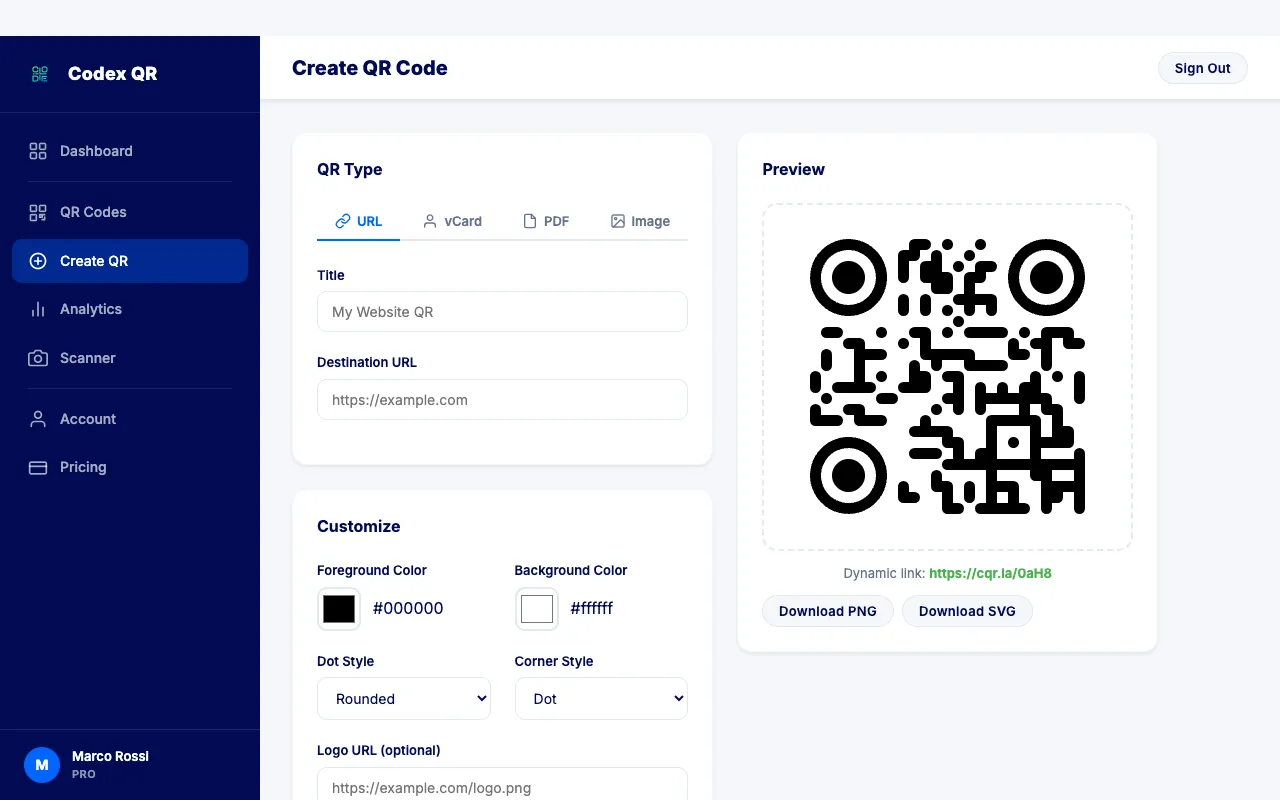
Step 3: Enable Password Protection
Below the customization options, you will see the Password Protection card. Toggle the switch to enable it, then enter the password you want to require. The password must be at least 3 characters, but we recommend using something strong and unguessable.
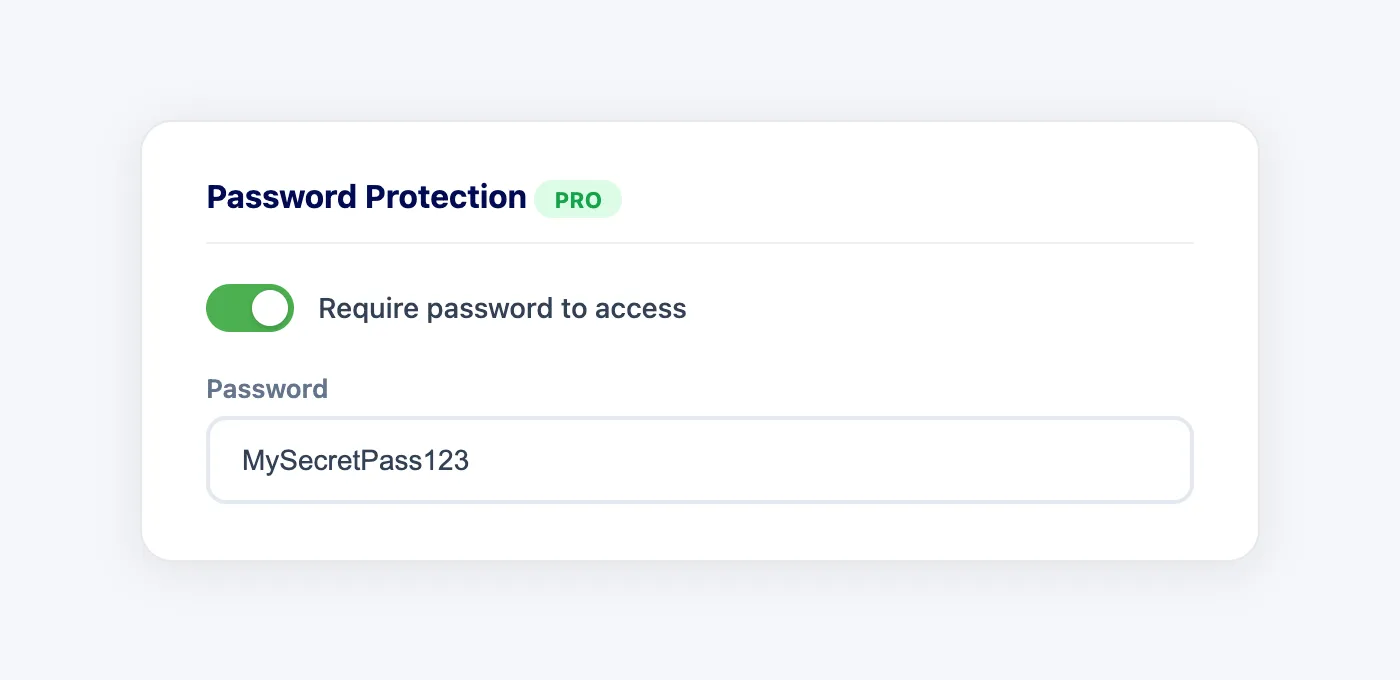
When the toggle is on, every scan of this QR code will show the password prompt before revealing the content.
Step 4: Save and Share
Click "Create QR Code" and your protected QR is live immediately. Download the QR image as PNG or SVG to print, email, or embed anywhere. When anyone scans it, they will see a secure password screen with a lock icon and a clean input field. Only the correct password unlocks the content.
Managing Passwords After Creation
One of the advantages of dynamic QR codes is that you can change everything about them after they have been printed. Password protection is no exception.
From the Edit page of any QR code, you can:
- Add a password to a QR code that was originally created without one
- Change the password at any time without regenerating or reprinting the QR code
- Remove the password entirely to make the QR code public again
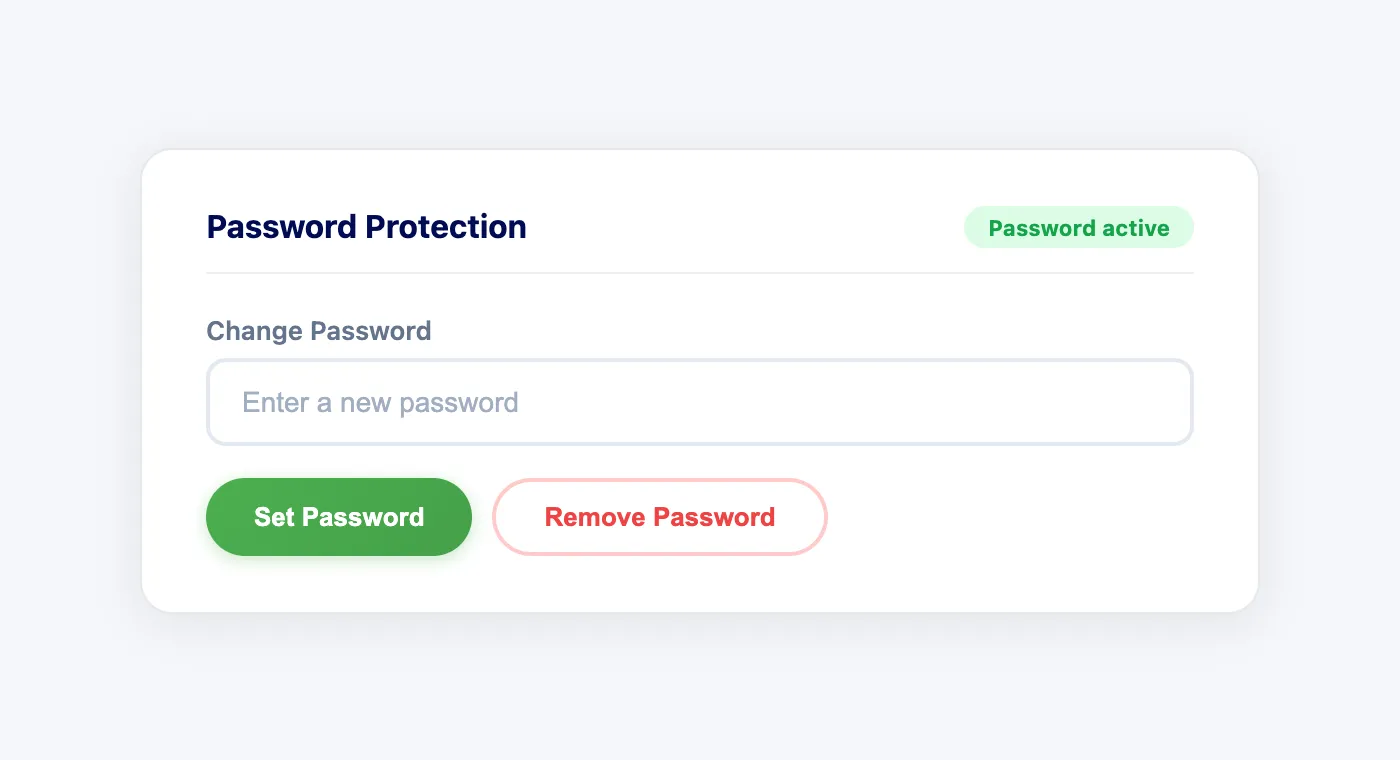
This flexibility is critical for real-world use. A conference organizer might add a password to event QR codes right before the doors open and remove it a week later when the content becomes public. An HR team might rotate the password on internal resource QR codes every quarter.
Real-World Use Cases
Secure Document Sharing
Replace risky email attachments with a password protected QR code linking to the document. Print the QR on the cover page of a contract or report. Share the password separately via a secure channel. Only people with both the document and the password can access the digital version.
Event Management
Print protected QR codes on tickets, wristbands, or lanyards that reveal exclusive content: venue maps, backstage schedules, special offers, or premium downloads. Even if someone photographs the QR code and posts it online, the content stays locked behind the password.
Healthcare and Compliance
Medical facilities can use password protected QR codes on patient wristbands, sample labels, or equipment. This adds a layer of access control that satisfies compliance requirements while keeping the scanning convenience that healthcare workflows depend on.
Education and Testing
Teachers can print QR codes on exam sheets that link to answer keys, supplemental materials, or grade rubrics. The password ensures only authorized staff can access the answers, even if students scan the code with their phones.
Manufacturing and IT
Stick QR codes on servers, network equipment, or industrial machinery that link to configuration guides, IP addresses, or maintenance logs. Password protection prevents unauthorized personnel from accessing critical system information, while authorized technicians can scan and unlock instantly.
Real Estate
Agents can place protected QR codes on property listings that reveal detailed financial information, inspection reports, or private showing schedules. Serious buyers receive the password; casual browsers see only the public listing.
Password Protected QR Codes: Free vs. Competitors
Most QR code platforms treat password protection as a premium feature reserved for their most expensive plans. Here is how Codex QR Cloud compares:
- Codex QR Cloud (Pro): Password protection available on the Pro plan ($9/month) with up to 20 protected QR codes. Full PBKDF2-SHA512 encryption, server-side verification, and the ability to add, change, or remove passwords at any time.
- QR Code Tiger: Password protection starts at $7/month but is limited on lower tiers. No details published about the encryption standard used.
- Uniqode (Beaconstac): Password protection available on business plans starting at $75/month. Enterprise-grade pricing for what should be a standard feature.
- Scanova: Password protection requires a paid plan starting at $5/month per QR code. Gets expensive quickly when protecting multiple codes.
- ME-QR: Offers password protection on paid plans. Limited free tier does not include this feature.
With Codex QR Cloud, you get military-grade encryption (PBKDF2-SHA512) at a fraction of the cost of competitors. The free plan gives you full access to dynamic QR codes, and upgrading to Pro unlocks password protection along with higher limits on everything else.
Best Practices for Password Protected QR Codes
- Use strong passwords: Avoid simple words or common phrases. A mix of letters, numbers, and special characters makes the password much harder to guess.
- Share passwords through a separate channel: Do not print the password next to the QR code. Send it via SMS, email, or a messaging app so that physical access to the QR code alone is not enough.
- Rotate passwords periodically: For ongoing access control, change the password regularly. Since dynamic QR codes do not need reprinting, rotation is effortless.
- Combine with scan analytics: Use Codex QR Cloud's built-in analytics to monitor scan activity. If you notice unexpected spikes, it might be time to change the password.
- Remove protection when appropriate: Not everything needs a password forever. When content becomes public or the event is over, remove the password to reduce friction for legitimate users.
Create Your Password Protected QR Code
Secure your QR codes with PBKDF2-SHA512 encryption. Add, change, or remove passwords anytime without reprinting.
Create Secure QR Sign Up Free